TL;DR: The best booking software for estheticians fills your calendar automatically, cuts no-shows with reminders and deposits, and remembers every client’s history without extra work from you.
If you’re an esthetician shopping for booking software right now, you’ve probably already tried a few free tools and hit their ceiling: a booking page with no client memory, reminders that don’t stop no-shows, or a system built for gyms and restaurants that makes you fight the interface for something as basic as buffer time between facials. This guide walks through what actually matters for a solo or small-team studio, what to ignore, and how to compare your options without wasting a month on trials.
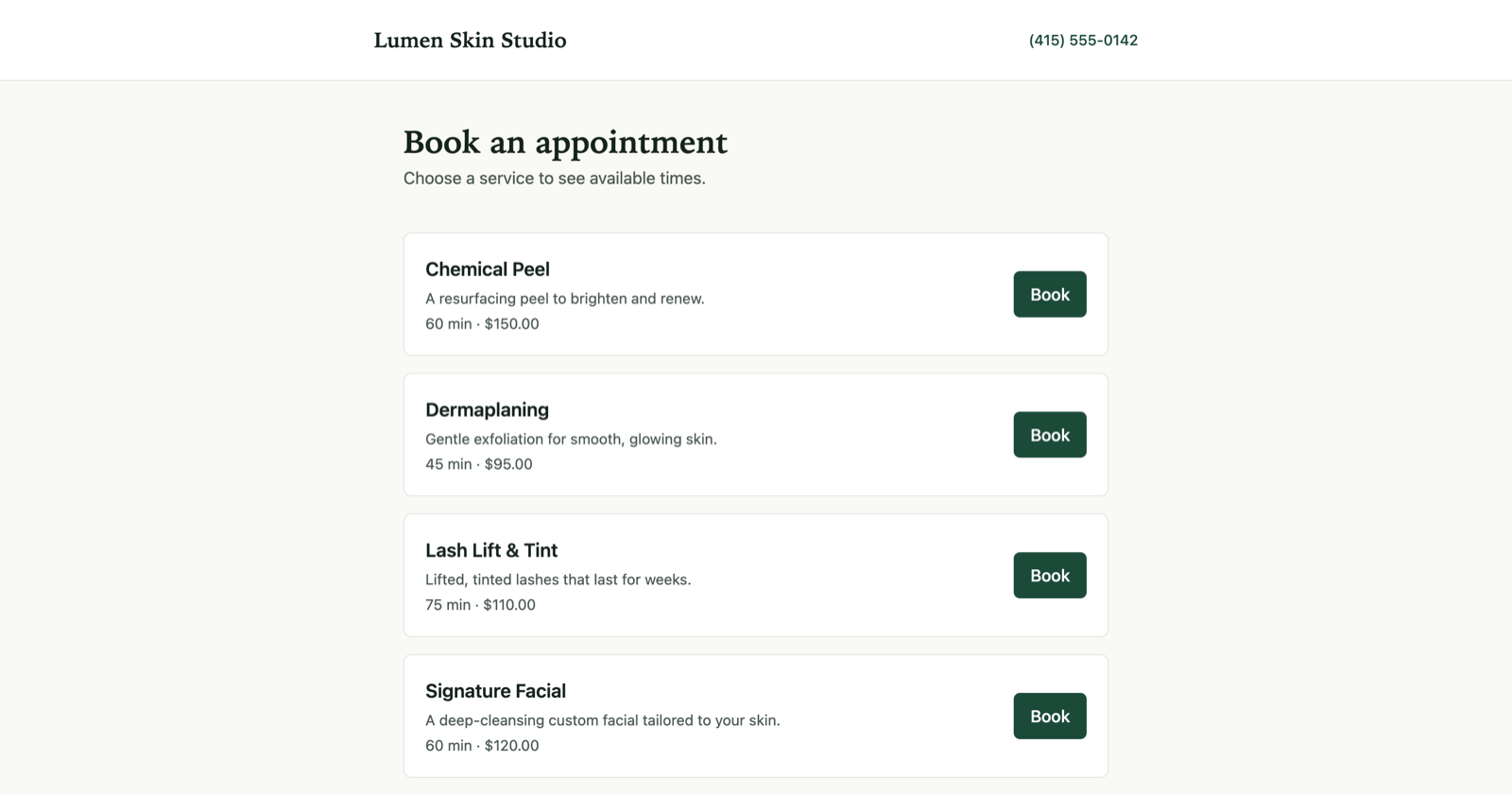
Rezzy’s booking page, live on the studio’s own link.
What features actually matter in booking software for estheticians?
Five things separate booking software that runs your front desk from booking software that’s just a calendar with a nicer face:
A public booking page that works on a phone. Most of your bookings will come in outside business hours, from a client scrolling Instagram in bed. If the page takes more than a few taps to get to an open slot, you lose the booking to procrastination, or to a competitor whose page loaded faster. Rezzy’s online booking page is built around that few-taps rule.
Automatic reminders, not just confirmations. A confirmation email the moment someone books does nothing for the no-show three weeks later. You want a reminder that fires on its own the day before (or a couple days before, for services people forget), by email and text, with zero manual work from you.
Deposits or card-on-file for booking. This is the single biggest lever against no-shows for treatments with real prep time and product cost: lash fills, chemical peels, waxing. Software that lets you require a deposit or hold a card at booking does more for your calendar than any reminder ever will. For more ways to cut no-shows beyond deposits, see our guide on reducing client no-shows.
Client history that builds itself. Every returning client should show up with their past visits, notes on what you used last time, and any allergies or preferences already on file, without you re-typing anything. If you’re maintaining client notes in a separate app or a paper card system, your booking software isn’t doing its job.
Rebooking automation. The clients who don’t rebook aren’t a marketing problem, they’re a systems problem. Software that flags “hasn’t booked in 6 weeks, usually comes every 4” and nudges them (or nudges you to reach out) keeps your chair full without you tracking it by memory.
Put those five together and your calendar should look like this: every appointment across your week, booked and reminded and deposited, without you touching a spreadsheet.
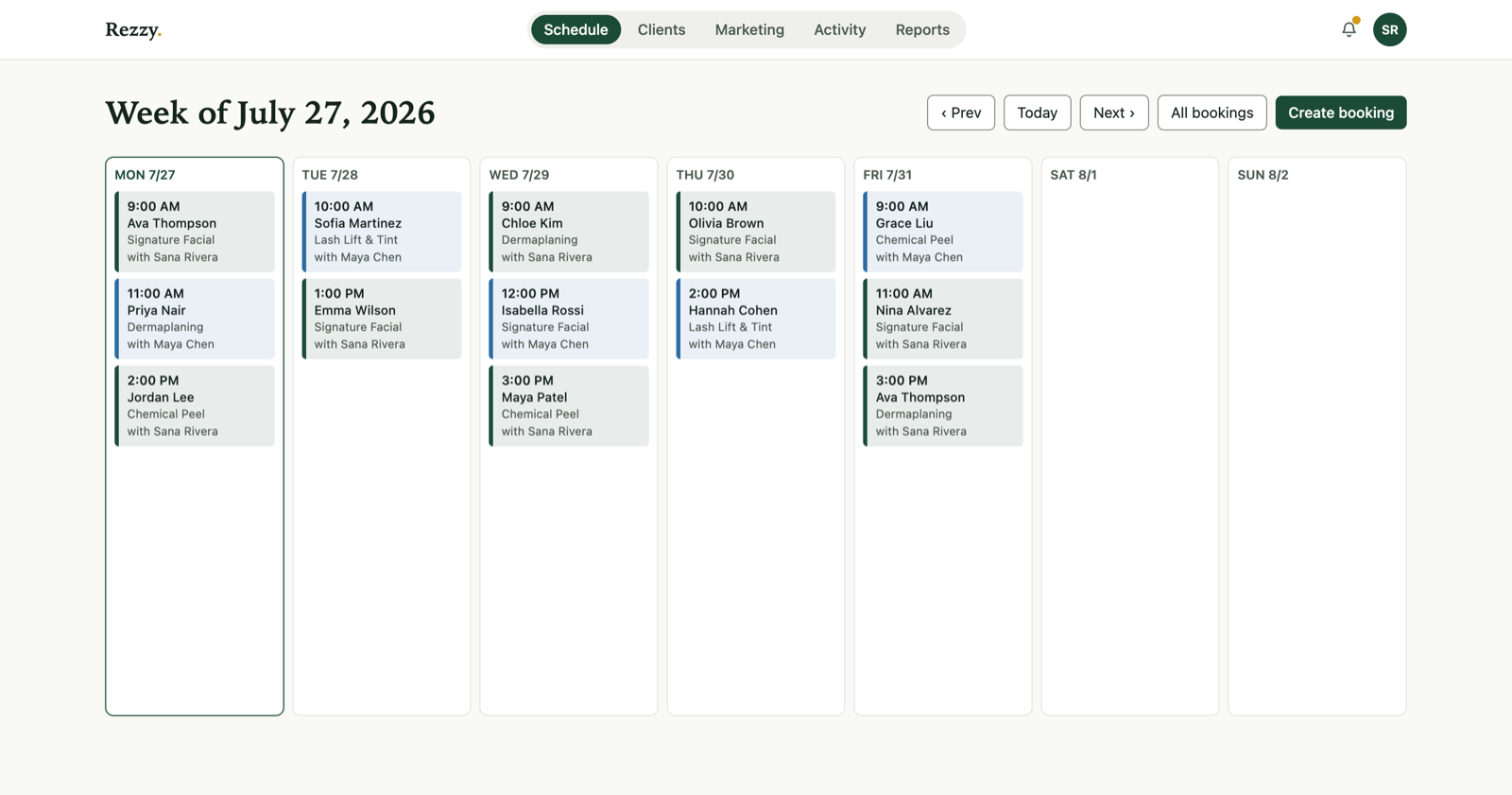
The week at a glance in Rezzy.
Past that core five, look at review requests (asking happy clients to leave a Google review right after their visit, automatically) and basic email marketing (a simple “we miss you” or promo blast to your client list) as nice-to-haves that save you from bolting on a third-party tool later.
What features don’t matter as much as they seem to?
It’s easy to get pulled toward features that sound impressive on a sales page but rarely change your day-to-day:
- Inventory and retail POS. Useful if you sell a lot of product, but most solo estheticians ring up retail through whatever payment terminal they already have. Don’t pay a premium for a full retail system you’ll use twice a month.
- Multi-location management. If you run one room, ignore any pricing tier built around “locations.” You’re paying for complexity you don’t need.
- Deep marketing automation (funnels, SMS drip campaigns with branching logic). A simple rebooking nudge and review request cover 90% of what a one-room studio needs. Elaborate marketing automation is built for teams with a marketing person, not a solo esthetician doing her own books at night.
- Custom app builders. A branded mobile app sounds nice, but almost no client downloads a separate app to book a facial. A booking page that works great in a browser (and can be embedded on your own website or added to Instagram) covers the same ground with none of the maintenance.
The features that move your calendar are the boring ones: booking, reminders, deposits, history, rebooking. Everything else is a nice-to-have you can live without in year one.
Tired of juggling separate apps for booking, reminders, and client notes? Rezzy bundles all five must-haves into one plan built for boutique studios. Start free.
How should I compare booking software options?
Think of the market as three broad shapes, not a list of brand names:
General appointment schedulers. Built to serve every type of business: salons, gyms, tutors, contractors. They’re often cheap or free to start, but the calendar logic, terminology, and client fields are generic. You’ll spend time working around fields that don’t fit a facial (like “class size”) and reminder rules that don’t match how skincare clients actually rebook.
Salon/spa chain platforms. Built for multi-chair, multi-location businesses with front-desk staff and a booth-rent model. They have a lot of depth, but that depth means a longer setup and a pricing structure (often per-chair or per-location) that overcharges a one- or two-person studio for capacity you don’t use.
Boutique studio software. Built specifically for the solo-to-small-team model: one to a few practitioners, appointment-based, client-relationship-driven. This is where Rezzy sits. The tradeoff is less depth on things like multi-location reporting, in exchange for a setup that’s fast, pricing that fits a small business, and defaults (reminders, deposits, rebooking, client timelines) that are already tuned to how a solo studio actually runs.
None of the three shapes is universally “best.” A general scheduler is fine if all you need is a calendar and you’re price-sensitive above all else. A chain platform makes sense once you’re managing multiple rooms or locations with staff schedules to coordinate. Boutique software earns its keep for the one-to-few-person studio that wants the retention and client-history tools without paying for enterprise complexity.
Booking software comparison: what to check before you commit
Use this table to score any option you’re evaluating, including Rezzy:
| Feature | Why it matters | What to check |
|---|---|---|
| Mobile booking page | Most bookings happen off-hours, on a phone | Book a test appointment on your own phone; count the taps |
| Text + email reminders | Reminders are the cheapest no-show fix there is | Are both included, or is text a paid add-on? |
| Deposits / card on file | Biggest lever against no-shows on prep-heavy services | Can you require it per-service, not just globally? |
| Client history & notes | Replaces your notebook or spreadsheet | Does it build automatically from bookings, or do you re-enter clients? |
| Rebooking reminders | Keeps the calendar full without manual follow-up | Does it flag overdue clients, or just send generic blasts? |
| Review requests | Compounds your Google presence over time | Sent automatically after a visit, or a manual task? |
| Setup time | Time you’re not seeing clients | Can you get a working booking page live same-day? |
| Pricing shape | Avoid paying for capacity you don’t use | Priced per seat/location, or flat for a small team? |
If an option scores well on the first six rows and fits your budget on the last two, it’s a real contender. If it’s missing more than one or two of the first six, you’ll likely end up patching the gap with a separate app, which adds cost and one more login to manage.
Do I need to pay for booking software, or is free enough?
Free tools can absolutely get a booking page live, and that’s worth something on day one. Where free plans usually fall short for an esthetician specifically is the retention layer: reminders capped at email-only, no deposit collection, no client history beyond the booking itself, and rebooking left entirely up to your memory.
A rough way to think about it: free software books appointments, paid software keeps clients coming back. If your studio is brand new and you’re validating demand, free is a reasonable starting point. Once you have a real client base, the no-shows a deposit would have prevented and the regulars who quietly stopped rebooking usually cost more in a month than a paid plan does, which is why most established studios move to paid software within their first year.
How much should booking software cost for a solo studio?
For a one- to two-person studio, a fair range is free (for a bare booking page with real limits) up to roughly $30–$40 a month for a full-featured plan with reminders, deposits, CRM, and rebooking automation included. Per-seat add-ons for extra staff are normal; watch for platforms that charge per location or bundle in retail/POS features you won’t use, since those push the effective price well above what a single-room studio needs to pay.
Rezzy’s plans are built around that math: a free tier to get a real booking page live today, and a Pro tier with reminders, deposits, client CRM, rebooking automation, and review requests included rather than sold as separate add-ons. You can start free and see your own booking page live in minutes, or look at the full feature set on the homepage.