Add team members
Rezzy has two roles: owners run the business, members run the chair. Invite your front desk or your fellow artists and everyone works from the same calendar and client book.
Invite someone
- Go to Settings → Team.
- Enter their full name and email, then click Send invite.
- They get an email link to set their password, and they’re in.
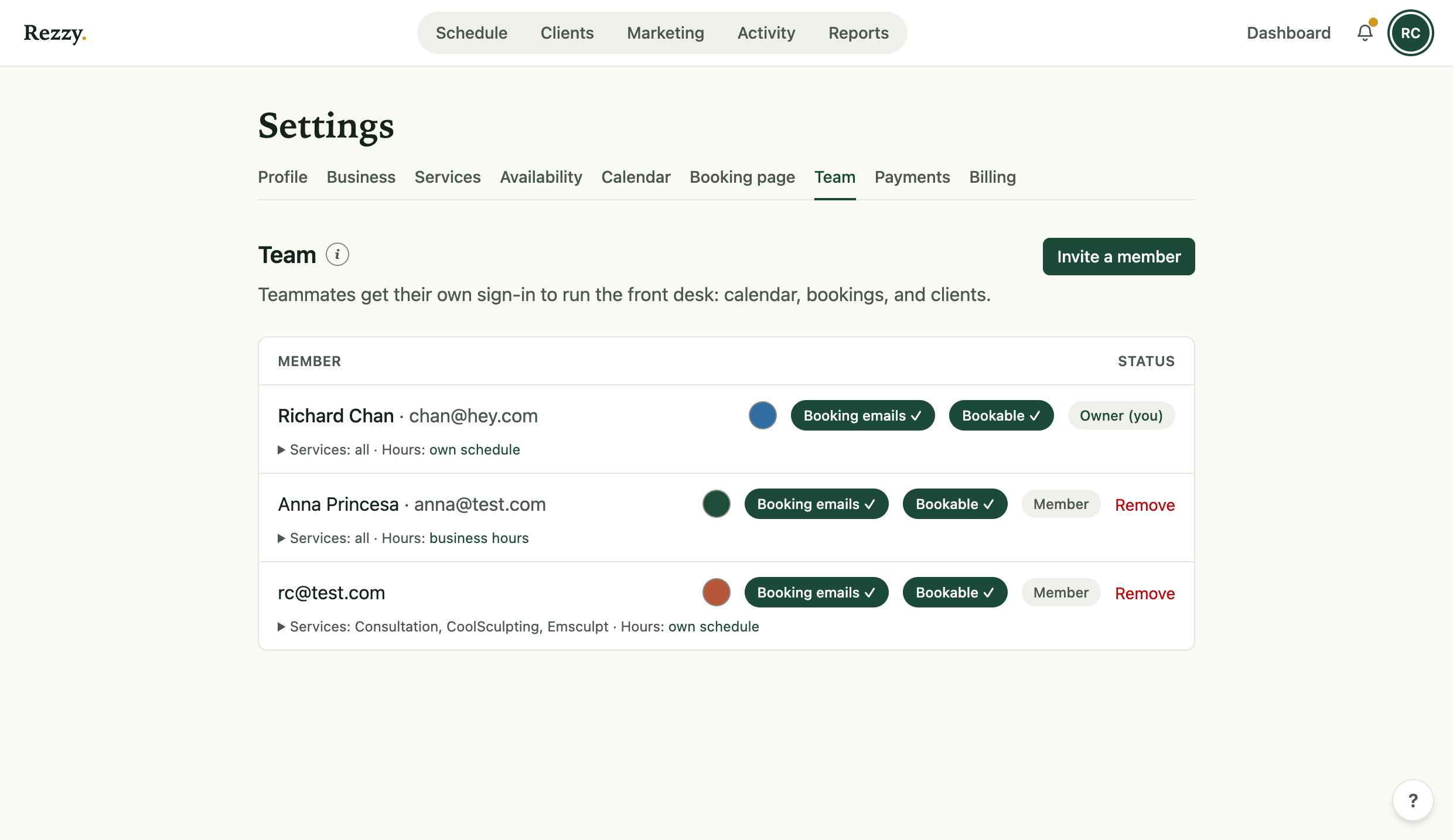
Each member’s row shows their services, hours, and whether clients can book them.
What members can do
Members get the day-to-day surfaces:
- See the calendar and bookings.
- Create bookings for clients.
- See clients, add notes, and work follow-ups.
Owners keep the keys: services and pricing, cancellations, billing, payments, marketing, and settings. You never have to wonder whether a new hire can change your prices; they can’t.
Staff, hours, and services
Each bookable team member gets their own working hours and their own service list, so clients booking online see the right times for the right person. Set those from the team page and Settings → Availability.
What the team costs
Nothing extra, ever. Studio includes up to five team members (you plus four), and Unlimited has no cap. There are no per-seat fees on any plan.
Remove a team member and their access ends immediately; their bookings and notes stay in the record, credited to them.
Related: Change the email you sign in with, which every teammate does for themselves rather than asking the owner.
Run your front desk on Rezzy
Online booking, a client book that builds itself, automatic reminders, and rebooking that runs on its own.