Ask for Google reviews automatically
The best moment to ask for a review is the day after a great visit, and that’s exactly when most studios forget. Rezzy remembers for you: mark the visit completed, tap yes, and the ask goes out on its own.
Set it up
- Go to Marketing → Reviews.
- Paste your Google review link. (Find it in Google Business Profile: “Ask for reviews” gives you the short link.) That link is the switch. With it saved, every completed visit offers the ask.
- Read the two emails, tweak the wording if you like:
- Review request goes out 24 hours after you say yes on a completed visit.
- Reminder goes out a week after the visit, and only if they haven’t clicked the first one.
Both arrive already written, with your studio name filled in and a sign-off at the bottom. Send the reminder at on the same page sets the hour the reminder goes out in your local time; it’s the same hour your autopilot emails use.
To stop the asks later, clear the link. There’s no separate on/off switch to hunt for, because without a link there’s nowhere to send anyone.
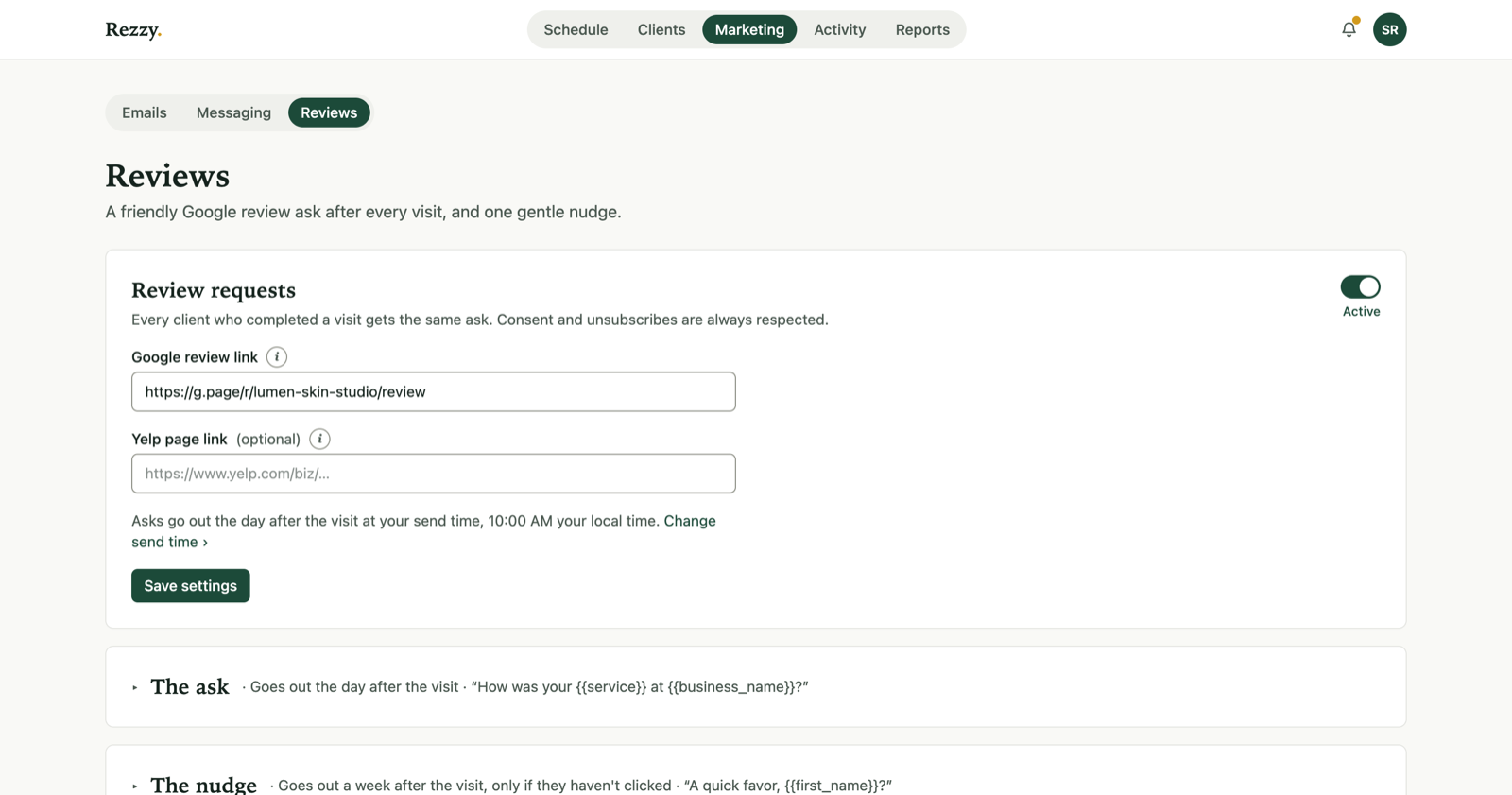
Two emails, written once, offered after every completed visit.
How it behaves
- You stay in charge. When you or a team member mark a visit Completed, Rezzy asks: “Send a Google review request?” Nothing goes out without your yes, and a yes sends 24 hours later.
- No review gating. The email never pre-screens sentiment or steers unhappy clients away from Google: that’s against Google’s rules and Rezzy doesn’t do it.
- The review request is feedback about their own visit, so it doesn’t wait for marketing consent. Anyone who unsubscribed is left alone, always.
- One click takes the client straight to your Google review box.
- The reminder skips anyone who already clicked, so nobody gets pestered.
- Want to ask one specific client right now? Open their page and pick Ask for a review from the Actions menu.
Why it works
Reviews are the highest-leverage marketing a local studio has: they compound, they’re free, and they rank you in Maps. The whole trick is asking consistently, and consistency is what automation is for. Expect the review count to climb within the first month of adding your link.
Run your front desk on Rezzy
Online booking, a client book that builds itself, automatic reminders, and rebooking that runs on its own.