Put your emails on autopilot
Autopilot is the email that sends itself at the right moment in a client’s life: after their first visit, when they’ve drifted, on their birthday. You write it once (or just edit ours), and it runs forever.
What’s already there
Go to Marketing → Emails → Autopilot. Six are ready to use, each triggered by a real event:
- Welcome series: a new client joins your book.
- After-visit thank you: a completed visit.
- We missed you today: a no-show, handled gracefully.
- We miss you: a client passes your rebooking window.
- Long time no see: the deeper win-back, months later.
- Birthday note: their birthday, if you have it.
Everything starts off. Nothing sends until you decide it should.
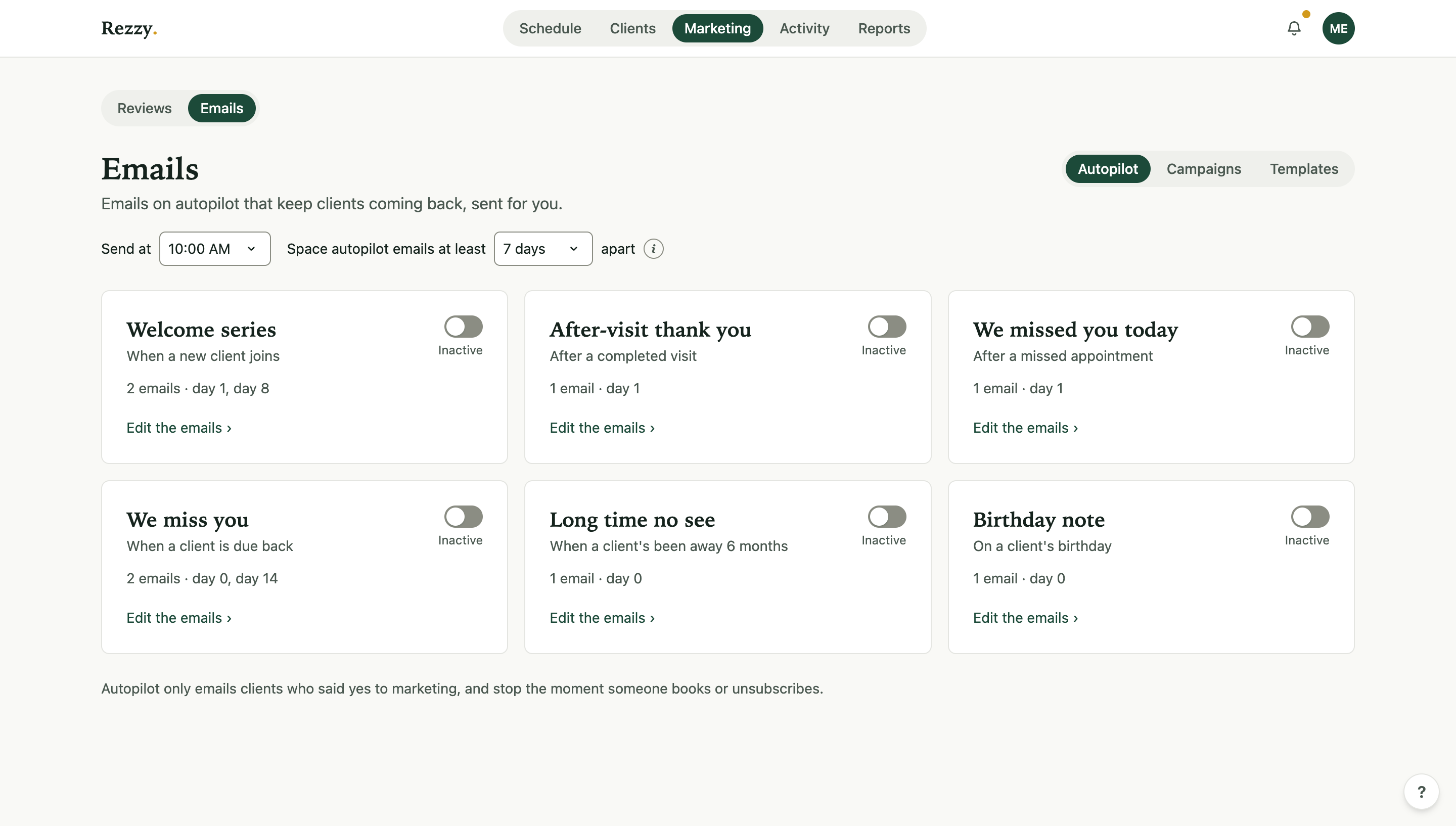
Each card shows its trigger, its emails, and a switch. Everything starts off.
Turn one on
- Open a card; each email shows as a collapsed row (“Email 1 · sends day 1”) with its subject.
- Expand and edit the words to sound like you. Merge tags like
{{first_name}}and{{booking_link}}personalize each send. - Send a test to myself to see it in your inbox.
- Flip the switch to Active.
Start with the welcome series and We miss you; those two do the most work.
The guardrails
- Consent only: autopilot emails go to clients with marketing consent, and every one carries an unsubscribe link. See How marketing consent works.
- Spacing: “Space autopilot emails at least N days” keeps a client from getting two marketing emails in the same stretch, no matter how many they qualify for. Under 7 days, clients may feel nagged; leave it at a week or more.
- Send at sets the hour of day they go out. It’s shared with your review requests, so changing it here changes both.
- Autopilot stops for a client the moment they book or unsubscribe: the point was the booking, and nagging past it costs goodwill.
Did it work?
Each card tracks sends, clicks on the booking link, and who booked within a week; Reports rolls the marketing numbers up in one place. Autopilot is part of the plan that includes marketing; your billing page has the details.
Run your front desk on Rezzy
Online booking, a client book that builds itself, automatic reminders, and rebooking that runs on its own.