Import your client list
Switching software shouldn’t mean starting your client book from zero. Export a CSV from your old system, upload it, and your book arrives intact.
What you’ll need
A CSV export of your clients. Every booking platform has one:
- Fresha: Clients → export.
- Square: Customers → Import/export → Export.
- Booksy: ask their support for a client export.
- Vagaro: Reports → customer list export.
- Or any spreadsheet saved as CSV with a header row: name, email, phone.
Exact menu paths for each platform, and what does or does not transfer, are in how to switch booking apps without losing your client list.
Import it
- Go to Clients and click Import (owners only).
- Upload the CSV, up to 5,000 rows.
- Check the column mapping. Rezzy auto-detects the usual headers; fix any it guessed wrong, and skip columns you don’t want.
- Choose what to do about text/marketing consent: default is imported clients start unconsented, which is the safe choice unless your export has a real consent column.
- Review the preview, then confirm.
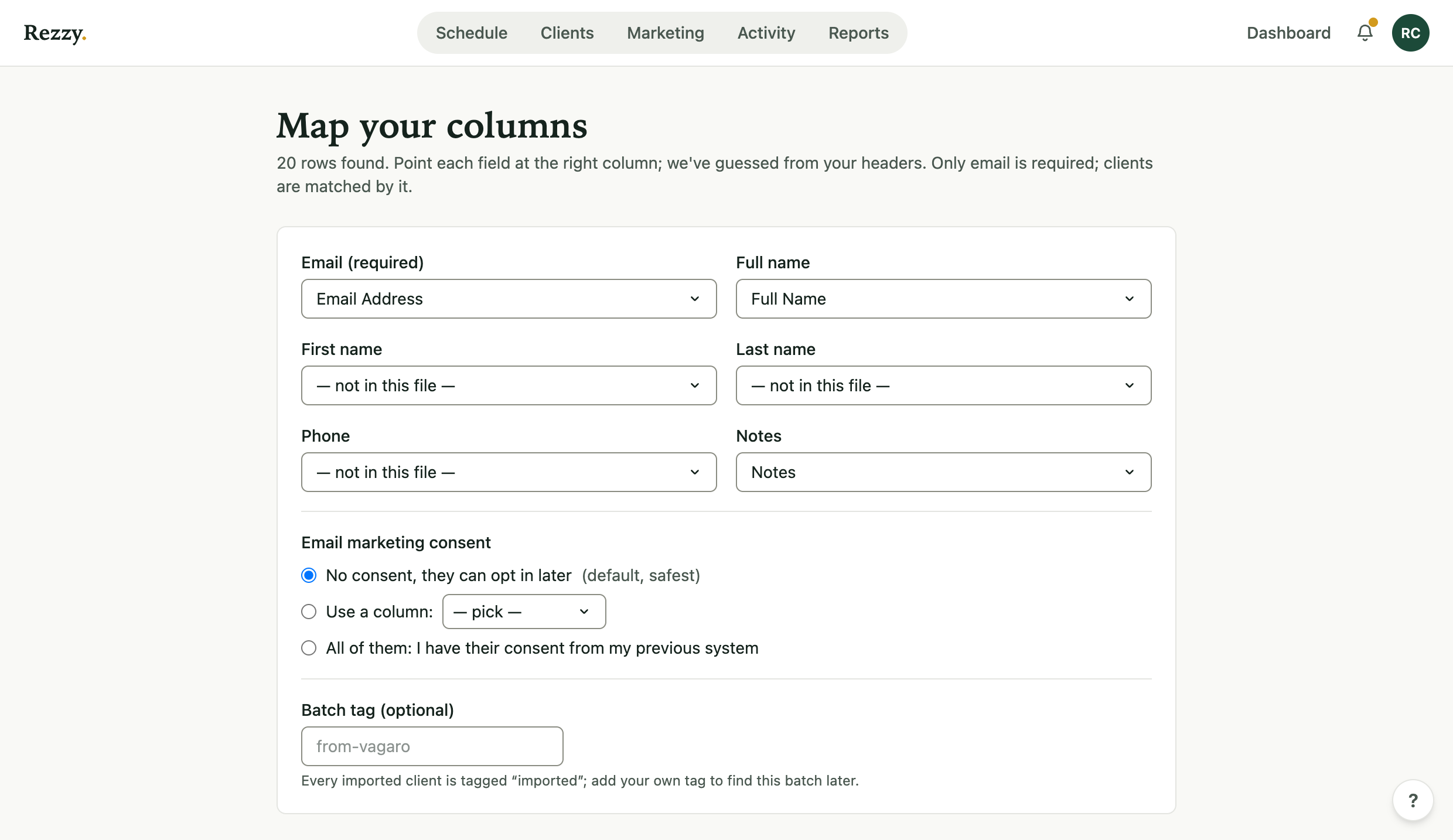
Rezzy guesses the mapping from your headers; you confirm before anything imports.
Nothing imports until you confirm the mapping, and the whole import can be undone for 7 days.
How Rezzy handles your data
- Existing clients are matched by email and never overwritten: a match only fills in blanks, like a missing phone number. Your one source of truth stays true.
- New clients arrive tagged imported, so you can filter them.
- Nobody gets emailed. Importing is silent; no welcome messages, no marketing, nothing leaves the building.
If it went wrong
Open the import result page and click undo. Imported clients are archived; anyone who has booked since stays put. Then fix the CSV and run it again.
Leaving is just as easy as arriving: export your client list any time, on any plan.
Run your front desk on Rezzy
Online booking, a client book that builds itself, automatic reminders, and rebooking that runs on its own.