Put booking on your website and Google
Your booking link works anywhere, but two placements do most of the work: your own website and your Google Business Profile. Both are set up from one screen.
The website widget
- Go to Settings → Booking page and find the Website widget section.
- Copy the snippet and paste it into your site wherever booking should appear: Squarespace and Wix code blocks, WordPress custom HTML, or your own site’s markup.
- That’s it. The widget shows your live services and open times right on your page, and stays current on its own.
Clients book without leaving your site, and every booking flows into Rezzy exactly like one made on your booking page.
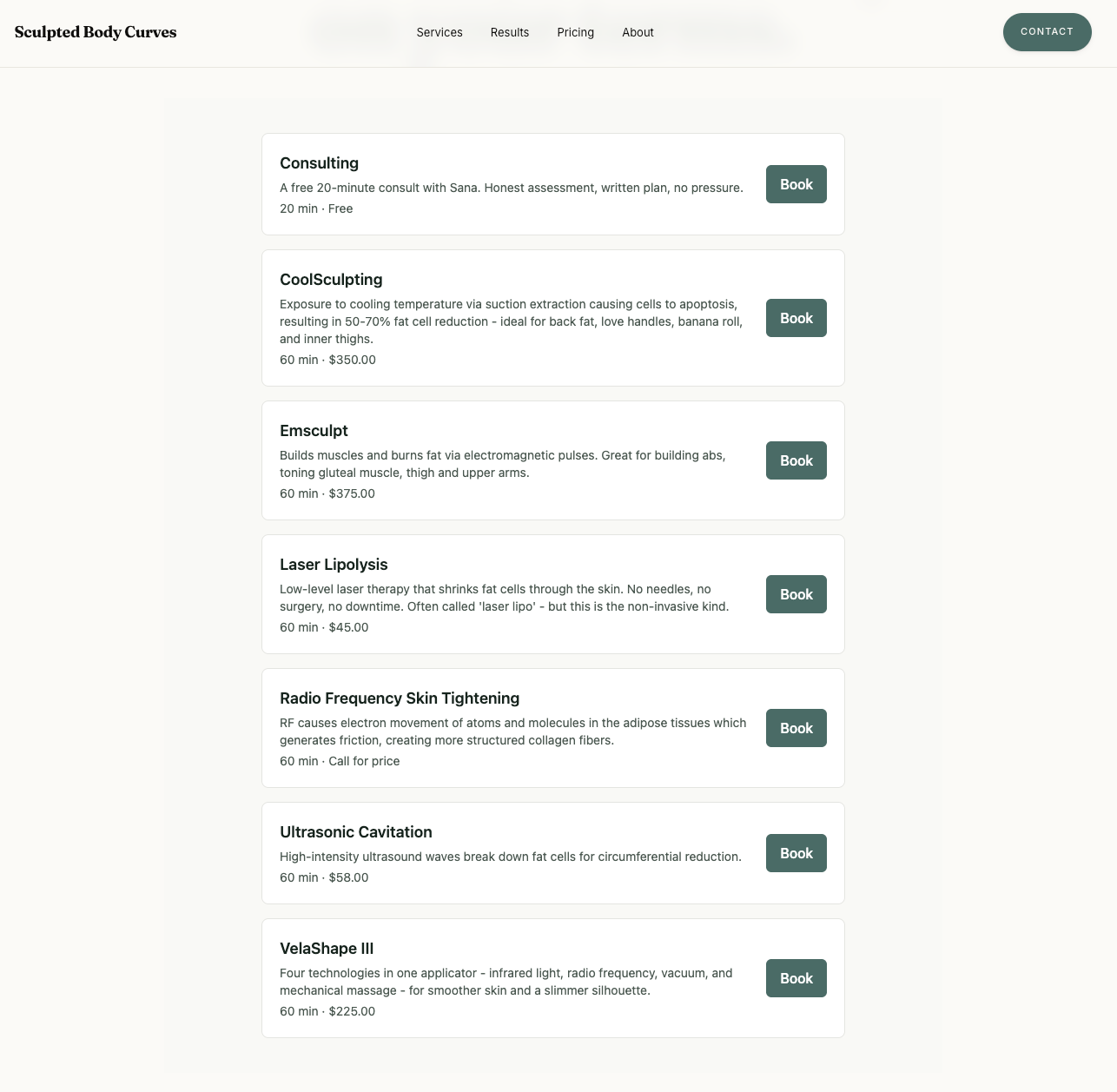
The widget live on a real studio’s site: their services, their prices, one Book button each.
Google Business Profile
The Google Business Profile section on the same screen walks you through adding your booking link to your profile, so “Book” shows up where clients are already searching for you. Profile visitors are the warmest traffic you have; this is the highest-value paste you’ll do all week.
What Rezzy does for search on its own
You do not have to set any of this up. Rezzy submits your booking page to search engines for you, and describes it in the language search engines read:
- Your page title names your studio and your services, so it matches what people type.
- Your opening hours go out with the page, taken from the hours you already set. That is what lets a result say “Open until 5 PM”.
- Every service carries its price and length, so someone searching for a 60 minute massage can be shown yours.
Two things you control make this work harder for you: keep your hours current in Settings → Hours, and give every service a real name and length. A service called “Option 2” cannot match anything.
No website to paste into?
Then skip the widget: every Rezzy plan includes a website of its own, with booking built in. Get your own website walks you through it.
Good to know
- The Booking link section holds your page URL for everywhere else: Instagram bio, link-in-bio tools, email signature.
- Changing your page’s web address breaks links you’ve already shared, so pick your studio slug once and leave it.
- Want the full setup from zero? Start with Set up your booking page.
Run your front desk on Rezzy
Online booking, a client book that builds itself, automatic reminders, and rebooking that runs on its own.