TL;DR: These client rebooking text templates give you ready-to-send messages for every stage of the client cycle, from the routine 6-to-8-week nudge to the post-no-show follow-up, plus the timing and consent rules that keep them compliant.
The fastest way to refill open slots is a short, warm text to clients who haven’t been in for a while: something like “Hi Maria, it’s been about 8 weeks since your last cut, want me to hold your usual Thursday slot?” Below are 11 client rebooking text templates you can copy, organized by scenario, plus the timing and consent rules that keep them working instead of getting you blocked.
Texting beats email for rebooking because it gets read within minutes, not days. Email still has its place for anything longer than a nudge, and sending one to a single client is its own short guide. But it only works if it’s timed right, sounds like a person wrote it, and only goes to clients who said yes to receiving it. Here’s how to do all three, with templates you can use today.
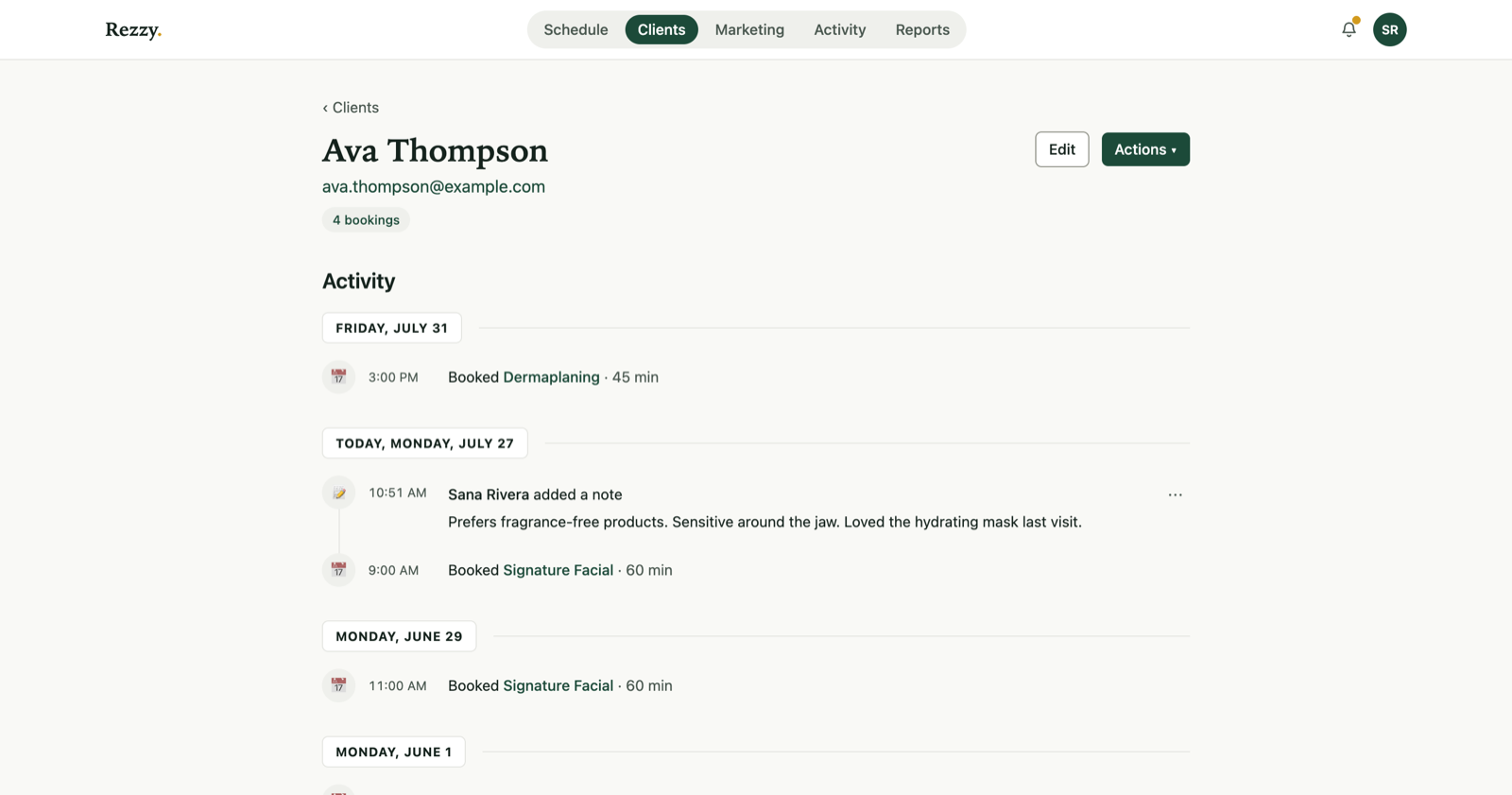 Rezzy knows who lapsed and when they last came in, so the text is personal.
When should you text a client to rebook?
Text when a client crosses their typical rebooking window and has nothing on the calendar, not on a fixed calendar date. A client who gets a haircut every 6 weeks should hear from you around week 6 to 7, not week 12. A regular who keeps a steady rhythm may not need the text at all: a standing appointment holds their visits a season ahead.
The window depends on the service, not the calendar. A blanket “60 days since last visit” rule undercuts fast-cycle services (nails, brows) and pesters slow-cycle ones (color, laser packages) too early. If you’re tracking this by hand, keep a per-service interval and check it weekly. Rezzy’s rebooking automation compares each client’s booking history to their service’s rebooking window and flags (or texts) them automatically, so nobody falls through the cracks and nobody gets nagged; the Needs rebooking guide shows the whole workflow.
A second good trigger: the day after a no-show or late cancellation, once the sting has worn off but before they’ve booked elsewhere, usually 24 to 48 hours later.
What’s the right tone for a rebooking text?
Casual, specific, and from a person, not a brand. The best-performing rebooking texts read like something a stylist would actually type: first name, a specific detail about their last visit, one clear ask, and an easy way to say no.
- Use their first name and a real detail. “Your color” beats “your appointment.” “It’s been about 6 weeks” beats “we haven’t seen you in a while.”
- Ask one question, not two. “Want me to hold Thursday at 2?” not “Want me to hold Thursday at 2, or would another day work better, and same service or something different?”
- Make declining effortless. “No worries if not!” or “Reply STOP to opt out” removes the guilt that makes people ignore texts instead of answering them.
Skip exclamation-point overload, emoji spam, and anything that reads like a mass blast. If it wouldn’t sound normal coming from your own phone, rewrite it.
Do I need permission before texting a client?
Yes. Only text clients who have opted in to receiving texts from your business, and every message needs a clear way to opt out. This is how SMS marketing law (TCPA in the US) and carrier filtering both work, and violating either can get your number blocked.
In practice that means:
- Collect consent at booking, intake, or checkout. A phone number on file is not permission to text.
- Every rebooking or marketing text includes an opt-out: “Reply STOP to opt out.”
- Honor STOP immediately. Don’t text that number again for marketing purposes.
- Appointment reminders and rebooking nudges are treated differently under the law, but hold both to the same consent standard.
Rezzy captures SMS consent at the point clients give it and only queues rebooking texts to clients who opted in, with STOP handling built in, so this isn’t a manual compliance project on top of your day. (How consent works in Rezzy, in full.)
11 rebooking text templates you can copy today
Swap in your name, the client’s name, service, and real time slots. Keep them under 320 characters (two SMS segments) so they land as a single message on most phones.
6 to 8 weeks since last visit (general) “Hi [Name], it’s [Business]! It’s been about [X] weeks since your last [service]. Want me to hold your usual [day] slot? Reply YES and I’ll pencil you in, or reply STOP to opt out.”
Overdue by your rebooking window “Hey [Name], just checking in, most clients rebook [service] every [X] weeks and it’s been a bit longer than that for you. I have openings this week if you’d like one. Reply STOP to opt out.”
We miss you (long lapse, 3+ months) “Hi [Name], we haven’t seen you at [Business] in a while and wanted to reach out. No pressure, just know your spot is here whenever you’re ready. Reply STOP to opt out.”
Post no-show or late cancel, next day “Hi [Name], sorry we missed you yesterday! Want to grab a new time this week? I can do [day] at [time] or [day] at [time]. Reply STOP to opt out.”
After a great appointment (plant the seed) “So glad you loved your [service] today, [Name]! Most clients come back around [X] weeks, want me to text you a reminder then, or book now while I have [day] open?”
Seasonal service reminder “Hi [Name], [season] is a great time for [service], and you’re due! I’ve got [day] and [day] open this week. Reply YES to grab a spot or STOP to opt out.”
Birthday or anniversary of first visit “Happy birthday, [Name]! Treat yourself to a [service] this month, I’d love to see you. Here’s a link to book whenever works: [link]. Reply STOP to opt out.”
New service or add-on they haven’t tried “Hi [Name], we just added [new service], I thought of you since you love [related service]. Want to add it to your next visit or book it on its own? Reply STOP to opt out.”
Package or series about to expire “Hi [Name], you have [X] sessions left on your [package] and it’s been a bit since your last one. Want to use one this week before they expire? Reply STOP to opt out.”
Last-minute opening (short notice) “Hi [Name], I had a cancellation and have [time] open today/tomorrow if you’re due for a [service]. First come, first served! Reply STOP to opt out.”
Slow week, clients who are due (opted-in only) “Hi [Name], you’re due for your next [service], and I have a few openings this week: [days and times]. Here’s my link: [link]. Reply STOP to opt out.”
Don’t want to send these one by one? Rezzy queues the right template to the right client automatically, only to those who opted in. Take a booking today.
Which template should I use, and when?
Match the template to the trigger, not to how you’re feeling that day.
| Scenario | Send when | Template to use |
|---|---|---|
| Routine rebooking | Client crosses their service-specific rebooking window | 6 to 8 weeks since last visit |
| Chronically overdue | Client is well past their usual interval with nothing booked | Overdue by your rebooking window |
| Long lapse | No visit in 3+ months | We miss you |
| No-show or late cancel | 24 to 48 hours after the missed appointment | Post no-show or late cancel |
| Fresh off a great visit | Same day or next day, right after service | After a great appointment |
| Seasonal push | Start of a season tied to the service | Seasonal service reminder |
| Personal milestone | Client’s birthday or first-visit anniversary | Birthday or anniversary |
| Cross-sell | You’ve added a service that fits their history | New service or add-on |
| Package holder going quiet | Sessions remaining and no recent visit | Package or series about to expire |
| Calendar gap this week | Cancellation or open slot, need it filled fast | Last-minute opening |
| Slow stretch | Multiple open slots across the week | Slow week, clients who are due |
One more trigger doesn’t fit the table: a price increase. Telling clients that any visit booked before the change date keeps the current price is a rebooking campaign with a deadline you didn’t have to invent, and the deadline does the persuading. The whole move, from picking the date to the copy-paste announcement, is in how to raise your prices without losing clients.
How often should I follow up if a client doesn’t respond?
Send one follow-up, five to seven days after the first text, then stop until the next natural trigger. Two attempts is the sweet spot: enough for someone who missed the first text, not so many that you look pushy. If a client doesn’t respond to either, wait for a new trigger (a new service launch, a seasonal moment, or their next window opening naturally).
For a client gone six months or more, skip another text. Send one email that leads with real news from your studio, not with how long she has been away. The template and the timing are in how to win back lapsed clients.
If a client replies with anything other than STOP, even “not right now,” treat that as an answer and back off until they reach out or their window comes around again. Persistence past a soft no reads as spam, not as good service.
How do I personalize texts without doing it by hand for every client?
Pull two or three real fields, first name, last service, weeks since last visit, into a template and let software fill them in per client. Manual customization doesn’t scale past a handful of clients a week, and blasts with zero personalization underperform badly.
This is where automation earns its keep: instead of scanning your client list every Monday for who’s overdue, a system that already knows each client’s rebooking window and last visit date queues the right template automatically, only to clients who opted in, with STOP handling on every send. That’s the rebooking workflow built into Rezzy.
The one template that doesn’t fit this pattern is the slow-week message, because you send it once, in the week you need it, rather than to whoever crossed their window today. Send it only to the clients who are due, not your whole list: a regular who is already booked reads it as a chance to move her visit, not add one. That one is a one-off campaign to the Clients due back audience, and it’s worth saving as a template the first time you write a good one, since every quiet week needs the same email.