Block time off
Some hours just aren’t for clients: lunch, a school pickup, or “hold Thursday afternoon, a VIP is confirming tonight.” Block them right from the calendar and your booking page stops offering them instantly.
Block it
- On the Schedule page, click the day you’re blocking and choose Block time. (The New menu in the header does the same from anywhere.)
- Pick who it’s for: Everyone, or one team member. (Team members block their own time.)
- The date arrives prefilled from the day you clicked; type the times (From and To) and add a label if you want one: “Lunch”, “Dentist”, “Holding for Maria”.
- Click Block time. Done: those slots vanish from your booking page immediately.
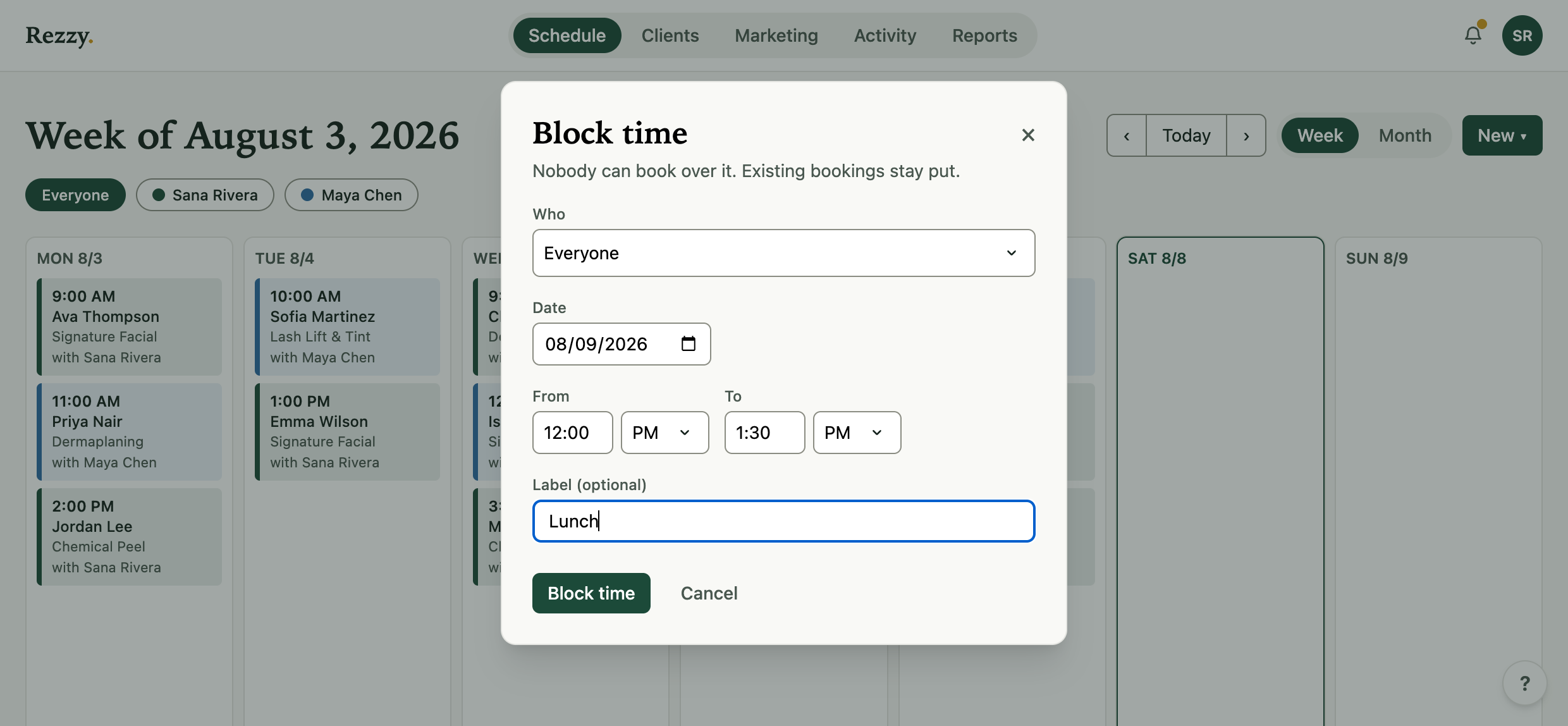
Two clicks and a couple of keystrokes; no settings pages involved.
What a block does
- Stops new bookings in that window, on your booking page and the widget.
- Never touches existing bookings. Block over a booked slot and both stay; the block just protects the rest of the window.
- Shows on the calendar as a gray card with its label, so the whole team sees the hole. Remove it with the ✕ and the times open right back up.
- Pushes to Google Calendar if you’ve connected it: the block appears there as a busy event, and disappears when you remove it.
- Shows in your Activity feed (and the daily summary), so you always know when someone on the team blocks time.
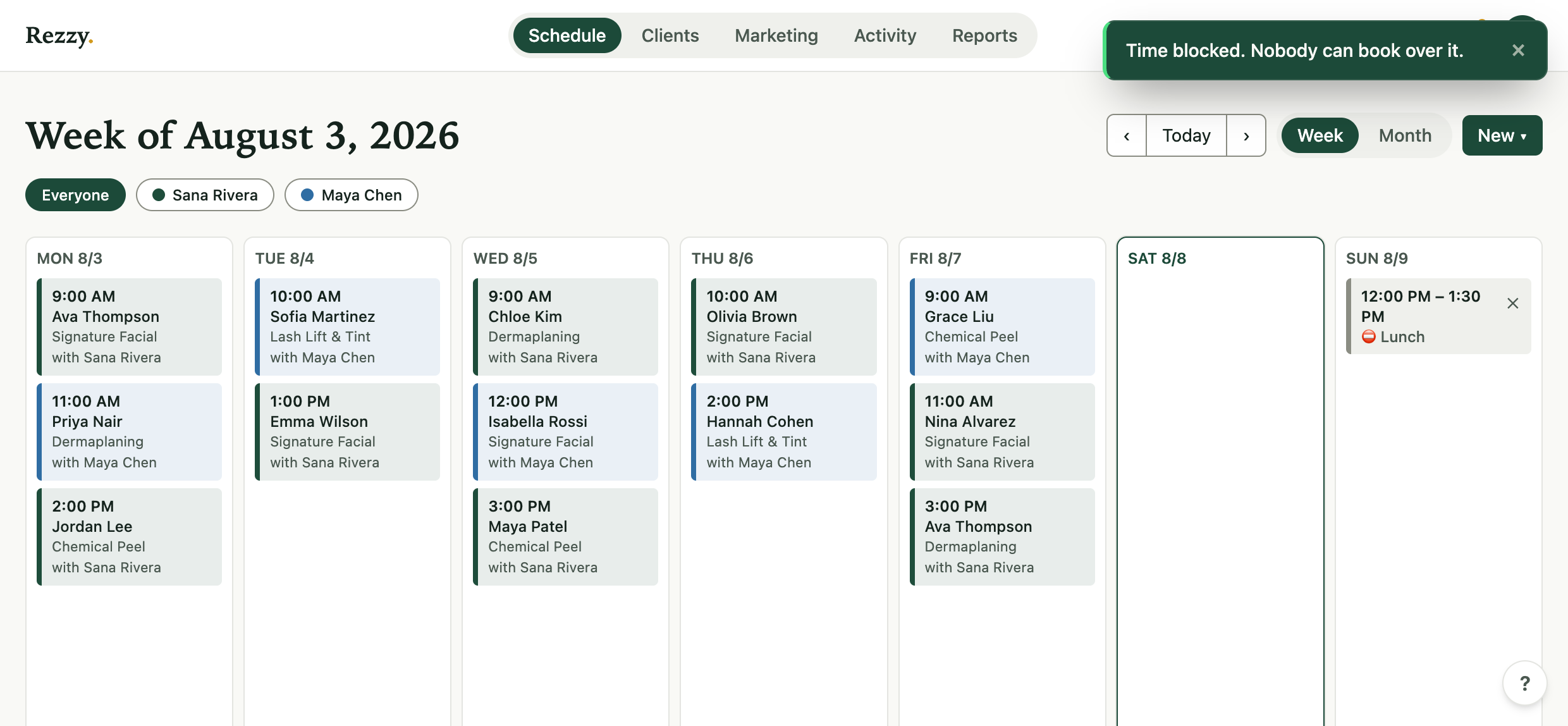
The gray card is the hole; bookings keep their color.
The VIP move
When a regular calls to say “hold Thursday at 2, I’ll confirm tonight,” block it with their name as the label. The slot is safe from your booking page while you wait; when they confirm, remove the block and book them in.
When not to use a block
A gap that repeats every week isn’t a block, it’s your hours: set it once in Settings → Availability and lunch is protected forever. Blocks are for the one-offs. For a whole day off, a date override (“Closed all day”) on the same settings page does it in one line.
Run your front desk on Rezzy
Online booking, a client book that builds itself, automatic reminders, and rebooking that runs on its own.