Collect an unpaid balance
A deposit holds the slot; the rest of the price is often still owed after the visit. Rezzy keeps the receivables list and does the awkward asking for you.
What you’ll need
To collect online, a connected Stripe or Square account; see Take deposits or full payment. Until one is connected, the collect surfaces stay out of your way entirely.
To record money you already took at the desk, you need nothing at all. Mark as paid works on any booking, with or without a payment provider.
The Payments tab
- Click the bell, then the Payments tab (owners only, like everything money).
- Open lists every completed visit with money still owed, and the total to collect. The amount is what is left: a visit that already took a deposit shows the remainder, with “$50 paid” underneath.
- Click Collect on a visit: the client gets an email with a secure payment link for that remainder, they pay online, and the visit drops off the list on its own.
- The All view adds the settled history: paid, refunded, deposit kept.
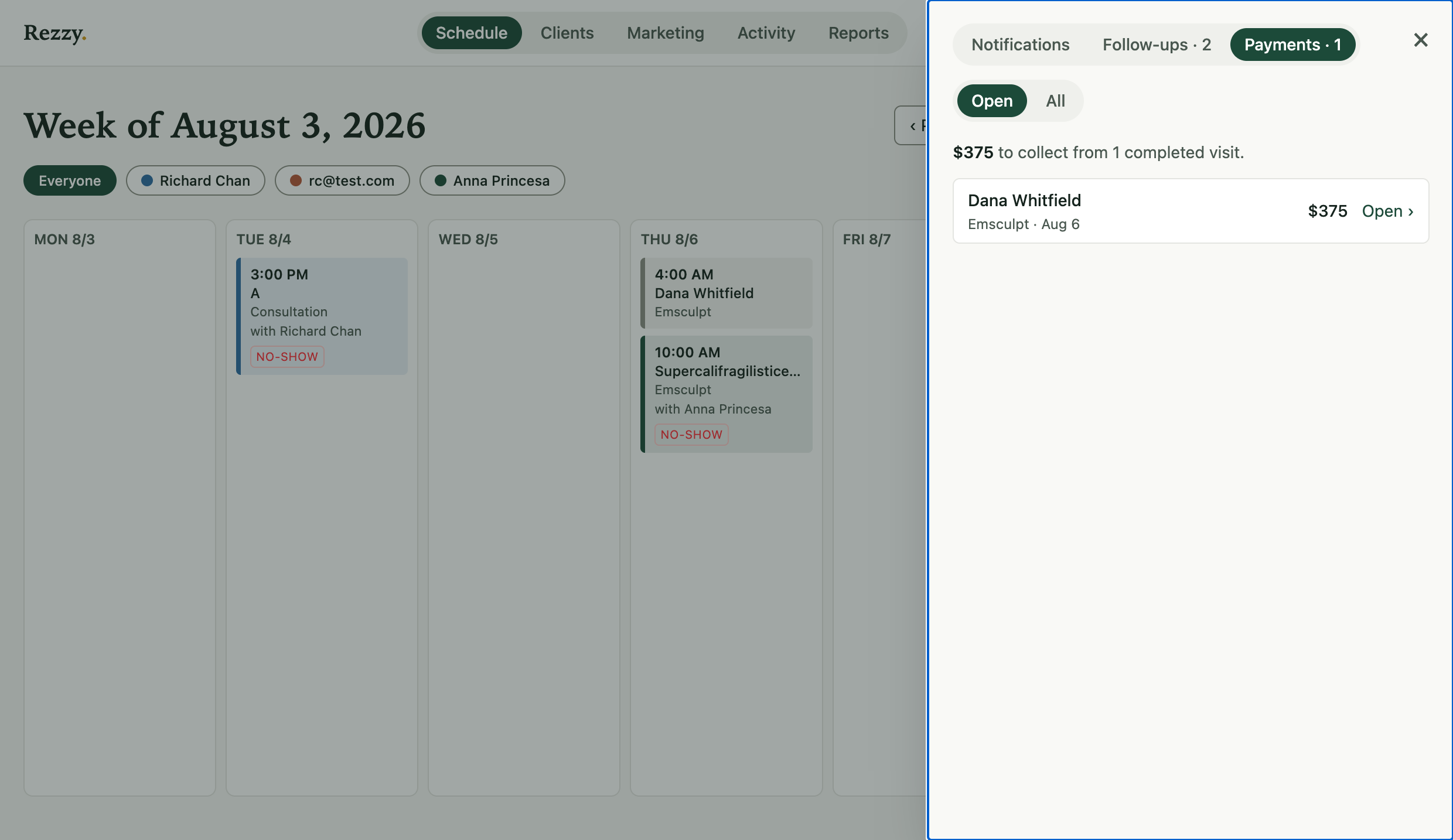
One glance: who owes what, and Open takes you to the visit.
The same amber “to collect” badge appears on Reports whenever there’s money on the table, so you can’t not know.
From a single booking
Every booking’s own page shows its payment state and the same actions in place: Collect payment, Re-send payment link if the first email got buried, or Refund. The page keeps a running total, so a part-paid visit reads $50.00 of $200.00 collected, $150.00 still owed. For a no-show with a deposit, the booking page is also where you choose to keep or refund it; see Complete, cancel, or no-show a booking.
Paid at the desk
Click Mark as paid on the booking page. Enter the amount, say how it arrived (cash, card reader, or something else), and the visit clears from the list.
Nothing is charged and no card is touched. Rezzy never held the money, so Rezzy can never refund it: hand it back the way you took it. If you recorded it by mistake, Undo removes the record for seven days.
Good to know
- Payment links are secure, per-booking, and go to the client’s email on file.
- A link always asks for the price minus what the client already paid, so nobody is charged twice.
- Re-sending refreshes the same link rather than creating a second one, so a client can never pay two live links.
- The money lands in your own Stripe or Square account, like every Rezzy payment. No commission.
- Collected amounts show in Reports under “Collected,” windowed to the period you’re viewing. Money you marked as paid gets its own line there, labelled off-platform, so your processor’s own total still matches.
Run your front desk on Rezzy
Online booking, a client book that builds itself, automatic reminders, and rebooking that runs on its own.