Complete, cancel, or no-show a booking
Every booking has a page: open it from the calendar or the Bookings list. That page is where the visit’s story gets its ending, and each ending does something different.
The three endings
- Mark as completed: the visit happened. It counts toward revenue in Reports, updates the client’s last-visit date, and starts the clock for review asks and after-visit autopilot emails.
- Mark as no-show: they didn’t come. The visit is excluded from revenue, tracked in your no-show rate, and if a deposit was paid you choose what happens to it: keep it or refund it.
- Cancel booking: the appointment is off. The client gets a cancellation email, the slot opens back up on your booking page, and any deposit can be refunded or kept per your policy.
A past visit waits as Not marked until you choose. Nothing is presumed on your behalf: an unmarked visit does not count in Reports, and no review ask can go out for it.
Owners can cancel; members handle the day-to-day without that power, so a cancellation is always a deliberate call.
Why it was cancelled
Cancelling opens a short window that says who gets emailed and what gets refunded, and lets you pick a reason: client asked, staff unavailable, double booked, studio closed, or something else in your own words. It is optional, so an empty answer never stops a cancellation.
Clients get asked too, but only after their cancellation has already gone through, never before. That order is deliberate: a client who meets a form on the way out often just closes the tab and doesn’t turn up, and a no-show costs you the same slot with none of the warning. Most won’t answer, and the ones who do tell you something worth knowing.
Either way the reason shows on the booking page and the client’s timeline, and Reports gathers them up under Why they cancelled, alongside the split between cancellations made by clients and ones you made. If a client explains later by text, open the booking and use Add a reason.
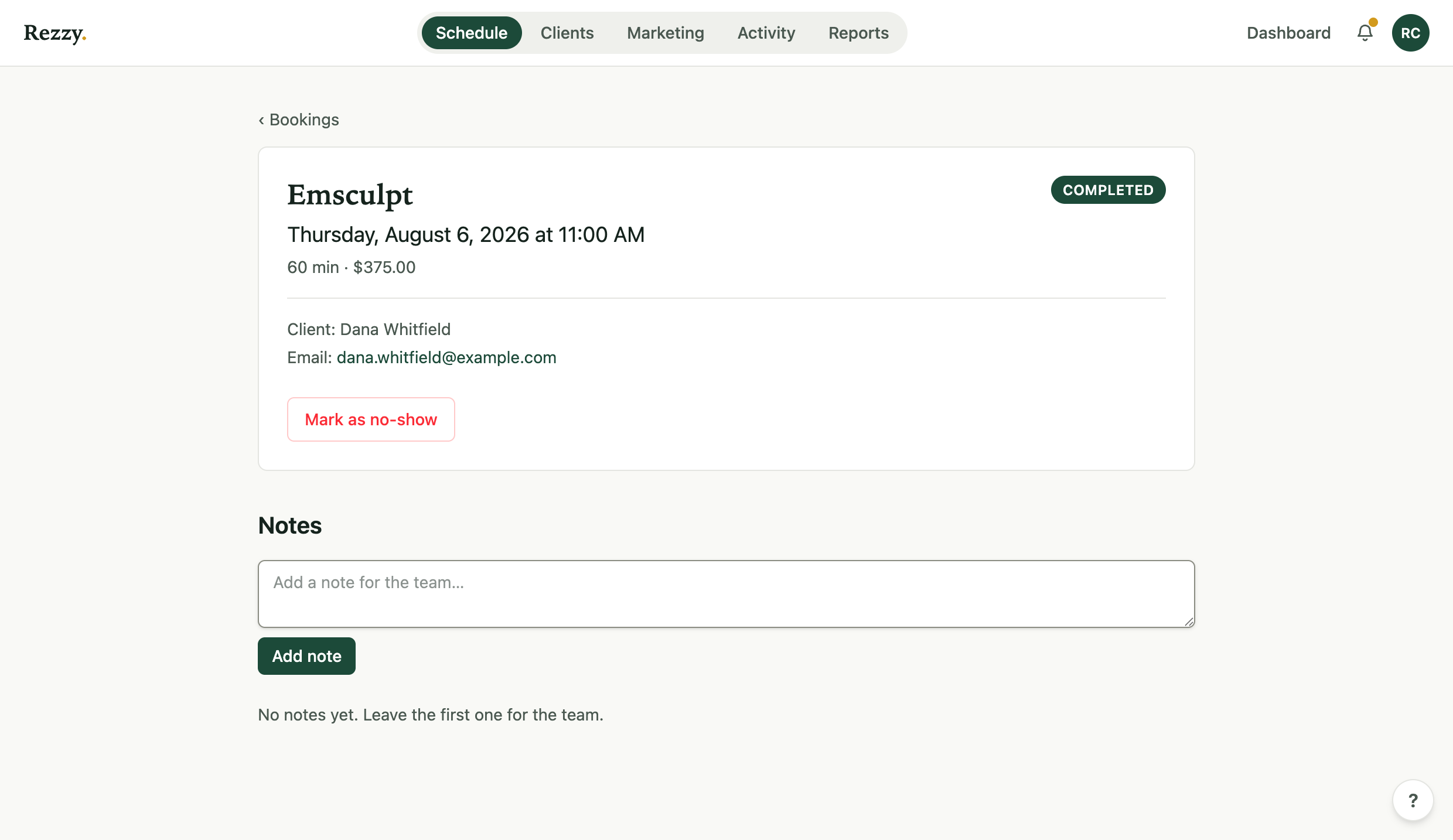
The booking page: status, client, payment state, and the actions that end the story.
The follow-up three days later
A cancellation is not a lost client, it’s an appointment that didn’t happen. Three days after any cancellation, Rezzy emails the client once, but only if they still have nothing on the books. If they rebooked on their own, nothing sends.
The wording changes with who cancelled. If the client cancelled, the email says the door is open. If you cancelled, it apologises first. There is no discount and no offer in either one.
It’s on by default. Switch it off in Settings → Booking page, under your booking rules, with Follow up when a client cancels. Clients who use the unsubscribe link never get it, and nobody gets more than one a month however many times they cancel.
Reports counts how many went out and how many of those clients came back, under Where money leaks.
Notes for the team
Every booking page has Add a note: “wants to talk about a colour change,” “running 10 minutes late.” Notes stay with the booking and show on the client’s timeline, so the whole team walks in knowing.
Reschedules
Clients reschedule themselves through the manage link in their confirmation email, which keeps the confirmation-and-reminder machinery pointed at the new time. See what clients can do on their own.
Money on the booking
Paid bookings show their payment right on the page: collect an open balance, re-send a payment link, or refund, all in place. The details live in Collect an unpaid balance.
Run your front desk on Rezzy
Online booking, a client book that builds itself, automatic reminders, and rebooking that runs on its own.