Connect your AI assistant (MCP)
Rezzy speaks MCP, the open standard AI assistants use to reach tools. Connect once and ask your assistant about your own studio in plain language: what does tomorrow look like, who has not been in since June, who still owes money. It can also pencil in a booking or a new client for you, and nothing reaches a client until you send the confirmation yourself.
Connect by signing in
This is the easiest way, and it is how Claude and ChatGPT connect.
- In Claude (web or desktop), go to Settings → Connectors and click Add custom connector.
- Paste
https://app.letsrezzy.com/mcpand click Add. - Sign in with your Rezzy email and password, read what the assistant will see, and click Allow.
ChatGPT works the same way from its own Settings → Connectors; note that OpenAI only offers connectors on paid ChatGPT plans.
Developer tools use a token
Claude Code, Cursor and scripts connect with a personal token instead.
- Go to Settings → Profile and find the Rezzy MCP section.
- Click Create a token, then Copy. It is shown once: treat it like a password, and if you lose it, revoke it and make another.
- Give your tool the URL and the token. For Claude Code, that is one command; the connect page has it ready to paste, plus the Cursor version.
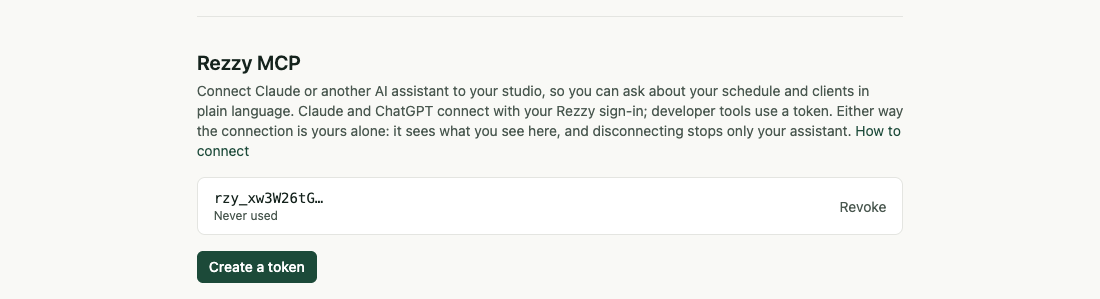
Tokens and sign-in connections live together on your Profile tab.
Ask something
Good first questions:
- What does tomorrow look like?
- Who has not been in since June?
- How did last month compare with the month before?
- Who still owes me money?
- Book Dana for a consultation on Friday at 2pm.
What happens next
Your assistant fetches your studio profile first, so it knows your services, hours and timezone before answering anything about the calendar. It can read the schedule, the client book, one client’s history, the business numbers, and unpaid visits. The numbers and unpaid visits are owner-only, exactly as in Rezzy itself: a team member’s connection sees what they see.
When it books for you
Ask it to book someone, or to add a new client, and it does what your front desk would do: real services only, open slots only, the same required details as the booking form. The one difference is deliberate: the client is not told. No confirmation email, no text, no reminder goes out yet.
- Rezzy emails you (not the client) that the booking exists, and it appears on the Schedule with a note that the client has not been told.
- Open the booking and press Send confirmation. The confirmation email goes out and the usual reminder and follow-ups take over from there.
- Not right? Cancel or reschedule it first. Because nothing was sent, the client never sees the mistake.
Everything else stays out of reach. The assistant can never email a client, charge, cancel, or change your settings. Marketing consent also stays off for any client it adds: only the client can give that, so no autopilot email can ever start from an assistant.
Good to know
- Every connection is listed in Settings → Profile under Rezzy MCP: tokens with a Revoke button, sign-in connections under Connected by sign-in with Disconnect. Either stops that assistant on the spot; your teammates’ connections keep working.
- The activity feed records every connect and disconnect, so the whole team can see when an assistant was given access.
- Wondering what AI is genuinely good for at a studio, and what to keep it away from? AI for salon owners: what actually works today sorts it out.
- Fair use is 60 requests a minute and 1,000 a day per connection, and 25 bookings and clients created a day. Plenty for questions, not built for bulk export: to export your client book, use the CSV export instead.
- Everything else Rezzy connects to is on the Integrations page.
Run your front desk on Rezzy
Online booking, a client book that builds itself, automatic reminders, and rebooking that runs on its own.